

November 9, 2026

A Google developer account is the mandatory entry ticket for publishing Android apps on Google Play. Without one, you cannot upload an app, run a closed test, or receive a single dollar of Play revenue. Yet most first-time publishers misunderstand what the account actually is: they confuse it with a regular Gmail account, underestimate the identity verification step, or pick the wrong account type and pay for that mistake months later. This guide answers every question that matters — what it costs, what you get, how verification works, and how to keep the account healthy for years.
In short: A Google developer account is a paid, identity-verified enrollment that unlocks publishing on Google Play. It costs $25 one time, with unlimited apps. Choose personal for solo developers or organization for companies, verify your identity, complete the 14-day closed test with 12 testers on new personal accounts, and keep every declaration honest to stay in good standing.
A Google developer account is a paid, identity-verified enrollment that grants publishing rights on Google Play. It sits on top of an ordinary Google account: you sign in with your Gmail (or Google Workspace) credentials, pay a one-time $25 registration fee, verify your identity, and accept the Developer Distribution Agreement. Only then does the Play Console unlock its publishing features.
This is different from simply having a Google account. Billions of people have Google accounts; only registered developers can create apps in Play Console, access the release tracks, configure in-app products, and view the full analytics suite. Think of the Google account as your key and the developer account as the license plate bolted to it — the license is what Google’s review and policy systems actually track.
Every enforcement action Google takes — a rejection, a suspension, a termination — attaches to the developer account, not the underlying Google login. That is why choosing the right account type and protecting the account’s standing matter so much.

Google offers exactly two flavors of developer account, and the choice is difficult to reverse:
Personal accounts are for individual developers publishing under their own name. Verification requires a government-issued photo ID and a phone number. Approval is usually fast — often within 48 hours. The developer name displayed on your store listings is your personal legal name, and your contact details appear publicly.
Organization accounts are for companies, studios, agencies, and teams. Verification is stricter: you need a D-U-N-S number from Dun & Bradstreet, official business registration documents, and a verifiable company website. The legal name and address on your D-U-N-S record must match your registration documents character for character — mismatches are the single most common cause of verification failure. Approval can take one to three weeks.
Practical guidance: if you are a solo indie developer, start personal. If you are a registered business, a studio, or you publish apps on behalf of clients, register as an organization from day one. Freelancers should have each client own their own organization account and invite the freelancer as a user — never publish client apps under your personal account, because policy strikes against a client’s app would land on your record.
The table below compares the two account types:
| Personal | Organization | |
|---|---|---|
| Who it’s for | Individual developers publishing under their own name | Companies, studios, agencies, and teams |
| Verification | Government-issued photo ID and a phone number | D-U-N-S number, official business registration documents, and a verifiable company website |
| Typical approval | Often within 48 hours; typically 1–3 business days | 1–3 weeks |
| Developer name displayed | Your personal legal name | Your company name |
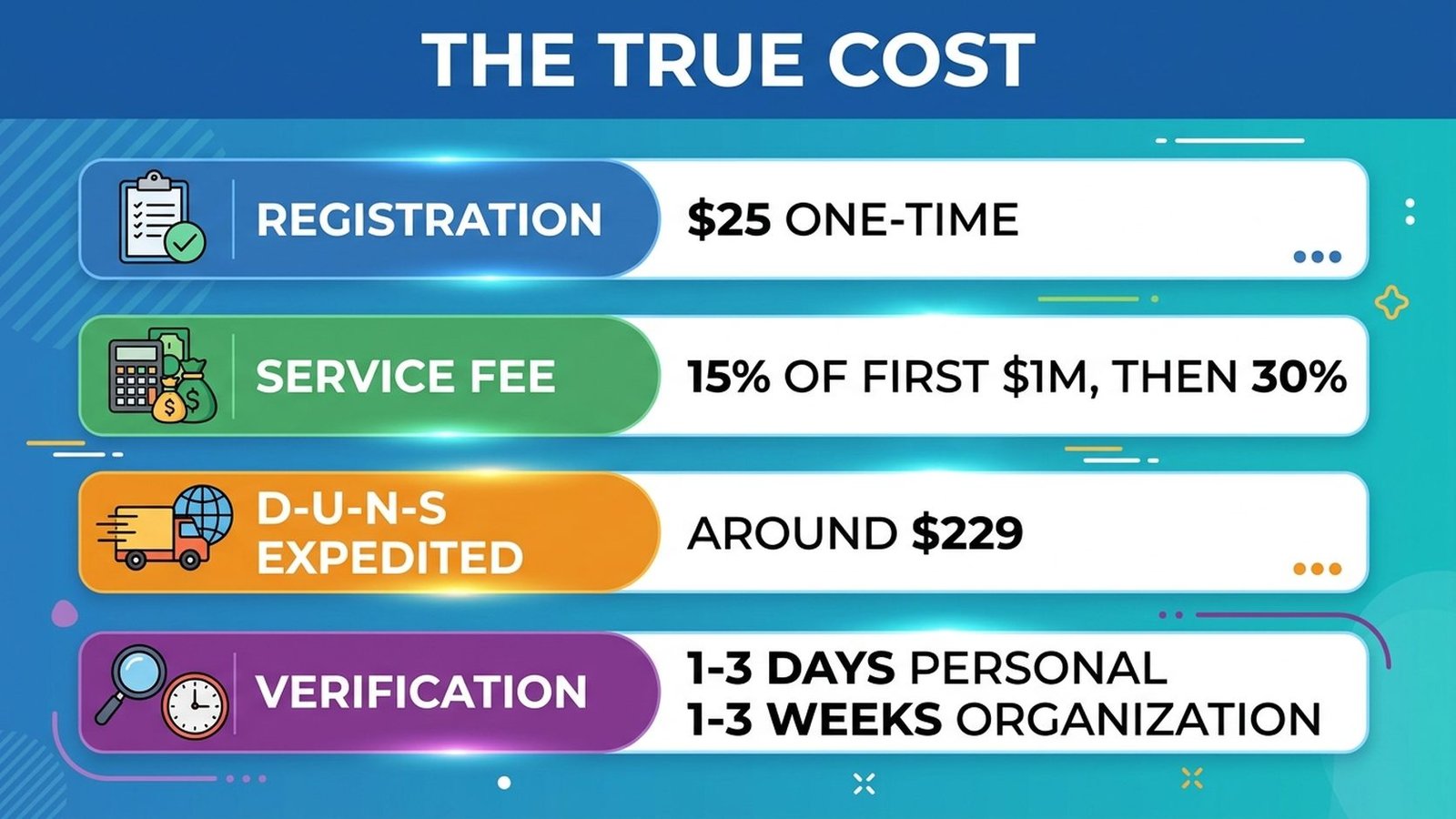
The headline number is simple: $25 USD, one time. No renewals, no per-app fees, unlimited apps per account. But the true cost picture has more lines:
There is no free tier, no trial, and no legitimate way around the fee. Anyone offering “free” or pre-verified developer accounts is selling accounts that Google will terminate — and termination can poison the devices, payment methods, and IP associations linked to the account, making future registrations harder.
The table below breaks down the true cost picture:
| Cost item | Details |
|---|---|
| Registration fee | $25 USD, one time, per developer account, paid by credit or debit card during signup |
| Service fees on revenue | 15% of the first $1 million in annual earnings per developer, then 30% above that, for paid apps, in-app purchases, and subscriptions |
| D-U-N-S number (organizations) | Free but slow via the standard route (up to 30 days); expedited processing costs around $229 |
| Verification time | Budget 2–3 days for personal accounts and 1–3 weeks for organizations before you can publish |
Once verified, your Google developer account unlocks the full Play Console:
New personal accounts also face the 14-day closed testing requirement: at least 14 days of closed testing with 12+ opted-in testers before production unlocks. This is enforced at the account level, so plan your launch timeline around it — our closed testing coordination service exists precisely because this step stalls so many launches.
Verification happens inside Play Console under Setup → Developer account → Verification. The flow:
The most common failure modes: blurry ID photos, a name on the ID that doesn’t match the Google account name, D-U-N-S records with a different address than the submitted documents, and using a brand-new Google account with no history (Google treats fresh accounts with more suspicion — let the underlying Google account age a little and enable 2-step verification before registering).
If verification fails, Play Console tells you which document was rejected. Fix exactly that item and resubmit — don’t change unrelated details, which can trigger a fresh full review.
Google’s enforcement ladder is unforgiving: rejection → removal → suspension → termination. Termination ends the account and every app on it, and Google is aggressive about linking terminated developers to new accounts (“associated account” bans). Protect your standing with these habits:
One authoritative bookmark for all of this is the Play Console Help Center, Google’s official documentation for policies, verification, and every console feature.
A Google developer account costs a $25 one-time registration fee — no renewals, no per-app charges, and you can publish unlimited apps. Google additionally takes a 15% service fee on your first $1M of annual Play earnings (30% above that) for paid apps and in-app purchases. Organization accounts may also incur D-U-N-S or business registration costs.
A Google account is a free login for Gmail, Drive, and other Google services. A Google developer account is a paid, identity-verified enrollment layered on top of a Google account that grants the right to publish apps on Google Play. You need the first to create the second, and policy enforcement attaches to the developer account.
Choose personal if you’re an individual publishing under your own name — verification is faster (ID check only). Choose organization if you’re a company, studio, or publish for clients — it requires a D-U-N-S number and business documents but displays your company name. The choice is hard to reverse, so decide before registering.
Personal accounts typically verify within 1–3 business days after submitting a clear government ID. Organization accounts take 1–3 weeks because Google manually checks D-U-N-S records and business documents. Mismatched names or addresses between documents are the top cause of delays — make everything match exactly.
Google allows multiple developer accounts, but each must be separately verified and paid for, and they must not be used to evade enforcement. If one of your accounts is terminated for policy violations, creating or using another account to circumvent the termination will get the new account terminated too.
You can transfer individual apps between developer accounts through Play Console’s app transfer flow, but the developer account itself stays with its owner. For teams, the correct approach is inviting users with appropriate roles under Setup → Users & permissions rather than handing over the owner login.
A Google developer account is a small investment — $25 and some paperwork — that unlocks the entire Google Play ecosystem. The developers who run into trouble are the ones who rush verification, pick the wrong account type, or treat policy compliance as an afterthought. Get the foundations right: verify carefully, choose personal vs. organization deliberately, secure the account, and keep every declaration honest.
If you’d rather have experienced help with setup, identity verification, or the 14-day closed testing requirement, Play Console Store is an independent marketplace that helps Android developers navigate Play Console — account setup, testing coordination, and policy compliance. Explore our Google Play services to get your account launch-ready.