

November 19, 2026

Inside the Play Store Google Console (play.google.com/console), the section that most directly controls your revenue isn’t Release or Monetize — it’s Grow → Store presence, your app’s store listing. Your listing is your landing page, ad, and first impression combined: its title, icon, screenshots, and description decide whether a search impression becomes an install. Developers who treat the listing as a formality leave enormous growth on the table; those who optimize it systematically see conversion lifts of 20–50%.
In short: Your Play Store Google Console listing is a conversion machine, not a form. Keep the title within 30 characters using Brand plus one or two keywords, write an 80-character benefit-led short description, show real value in the first two screenshots, and run Store listing experiments for at least seven days before applying a winner.
This guide is the complete listing-optimization playbook: exact specs, ASO copywriting that converts without triggering policy flags, graphics that win taps, Google’s built-in A/B testing, and custom listings for different audiences. For the publishing pipeline around it, see our Play Store dev console guide.
Console path: Grow → Store presence → Main store listing.
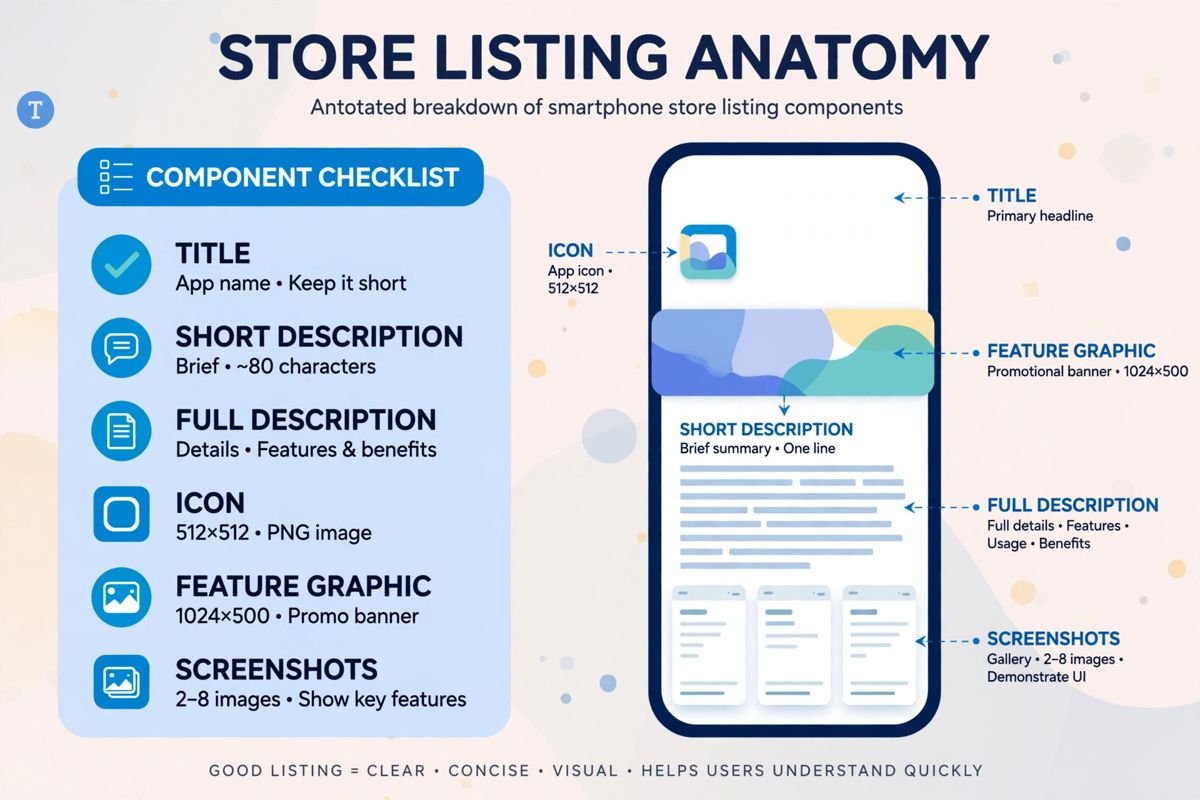
| Field | Limit | Role |
|---|---|---|
| App name (title) | 30 characters | Search ranking + first impression |
| Short description | 80 characters | Search-result pitch under the title |
| Full description | 4,000 characters | Feature detail, keyword coverage |
| App icon | 512×512 PNG | Brand recognition everywhere |
| Feature graphic | 1024×500 (exact) | Banner on listing and featured placements |
| Phone screenshots | min 320px, up to 8 | Core visual selling |
| Tablet/TV/Wear screenshots | per form factor | Required if you support those devices |
| Video (YouTube URL) | optional | Autoplay preview on listing |
Categorization (Store settings → App category) and tags affect browse discoverability — pick the single most accurate category; miscategorized apps get flagged.
Your title carries the most search weight. Formula: Brand + 1–2 top keywords. “FitTrack: Workout Planner” beats both “FitTrack” (wasted keyword space) and “Best Free Fitness Workout Exercise Gym Training Planner App 2026” (keyword stuffing → rejection).
Rules:
This is your elevator pitch in search results. Lead with the primary benefit + differentiator: “Plan workouts, track progress, no gym required.” Front-load keywords naturally — the first 40 characters matter most on small screens.
Structure it for skimmers and algorithms:
Keyword guidance: use your primary keyword 3–5 times and semantic variants naturally throughout. Density beyond that reads as stuffing to both users and reviewers. Never repeat the keyword list as a block (“fitness, workout, gym, exercise…”) — that’s a classic metadata rejection.
Users decide in under 3 seconds on the listing screen. Your visuals do most of the work:
Refresh cadence: update screenshots with every major UI redesign — stale screenshots showing an old interface erode trust and look abandoned.
Console path: Grow → Store presence → Store listing experiments.
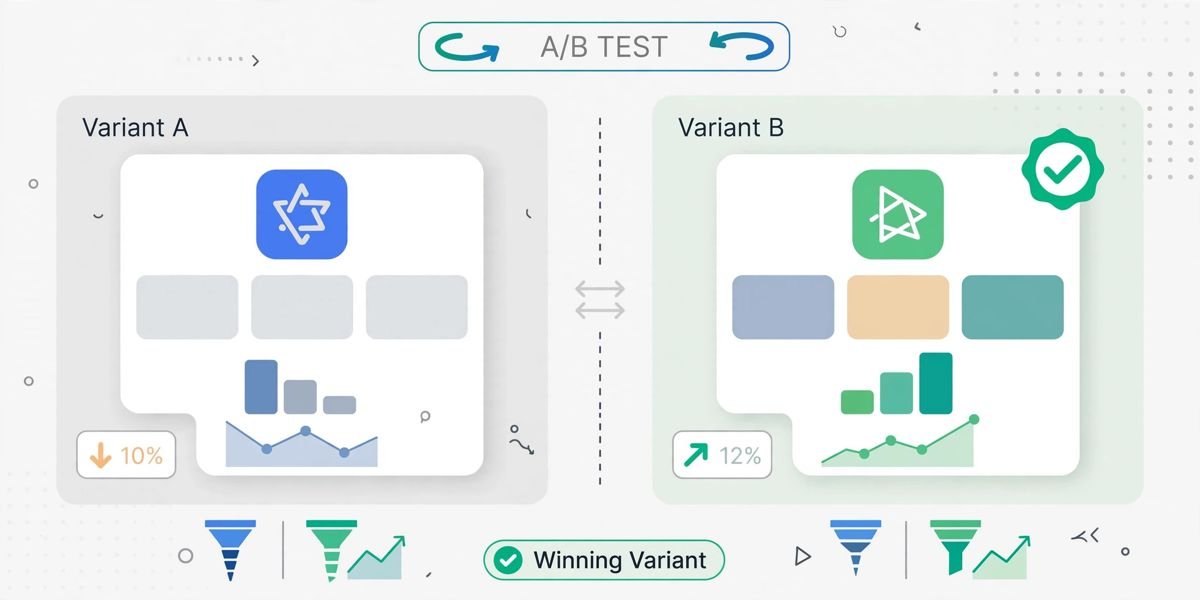
Google’s native A/B testing lets you trial listing variants with statistical rigor:
What to test first: icon (highest leverage), then first two screenshots, then short description. Run experiments for at least 7 days to cover weekly traffic patterns; don’t conclude on 48 hours of data. This tool is free, built-in, and criminally underused — most developers guess at listing changes instead of measuring.
Custom listings (Grow → Store presence → Custom store listings) let you show different listings to different segments:
Localization best practice: never machine-translate and ship. At minimum, have a native speaker review; ideally, adapt screenshots to show localized UI. Poor localization converts worse than English in many markets — quality over coverage.
Listing changes go through review (typically hours, faster than app review) — submit ASO updates ahead of marketing campaigns, not during them.
Google’s listing policies are detailed in the Play Console Help Center — review the metadata policy before every major listing change.
Optimization without measurement is guessing. The console gives you the funnel:
Console path: Grow → Store performance (or per-app dashboard → Store listing visitors).
Track these metrics before and after every listing change:
The optimization loop: hypothesize (icon variant) → experiment (7+ days) → measure (conversion delta with confidence interval) → apply winner → repeat. Teams that run this loop monthly compound conversion gains quarter over quarter; teams that “redesign the listing” once a year leave growth on the table. Pair listing metrics with our review management guide — your rating is part of the listing, and rating trends explain conversion shifts that experiments can’t.
The table below summarises the listing metrics to track:
| Metric | What it tells you |
|---|---|
| Store listing visitors | How many users view your listing, driven by search ranking and featuring |
| Installs per listing visitor (conversion rate) | The metric your experiments optimise; sustained rates below ~20% signal listing problems |
| Visitor → installer drop-off by traffic source | Search visitors convert differently than browse visitors; optimise the title for search, the screenshots for browse |
| Experiment results | Judge changes on statistical significance, not gut feel, and let tests run the full 7+ days |
Your Play Store Google Console listing is a measurable conversion machine: a 30-character keyword-smart title, an 80-character benefit-led pitch, honest full descriptions, tap-winning graphics, and listing experiments instead of guesses. Optimize monthly, measure everything, and remember your star rating is part of the listing — review management is ASO.
30 characters maximum. Use the formula Brand + 1–2 keywords (“FitTrack: Workout Planner”). Keyword stuffing, superlatives (“best free”), and competitor brands in titles trigger metadata rejections.
Use Store listing experiments (Grow → Store presence → Store listing experiments): create up to 3 variants against your control, run at least 7 days, and apply the winner. Test icons first — they have the highest conversion leverage.
Not required, but custom store listings per country significantly improve conversion in major markets. Translate and transcreate copy, localize screenshots, and adapt messaging culturally — machine-translated listings often convert worse than English.
With every major UI redesign at minimum, plus seasonally for consumer apps. Stale screenshots showing an outdated interface erode trust. Remember listing changes go through review (usually hours), so plan ahead of campaigns.
Yes. Metadata policy violations — keyword stuffing, misleading claims, impersonation-adjacent branding, fake badges in graphics — block or remove listings. The listing is reviewed independently of the app binary, so keep both compliant.
Your Play Store Google Console listing is a conversion machine with measurable inputs: a 30-character title engineered for search, an 80-character pitch, honest benefit-led descriptions, tap-winning graphics, and experiments instead of guesses. Optimize it with the same rigor you apply to code, and installs compound.
Play Console Store is an independent marketplace helping Android developers with store listing optimization, ASO strategy, and conversion testing. Explore our Google Play services to turn your listing into a growth engine.