

November 15, 2026

Most developers learn what kills a Google Play Store developer account by watching it happen — to themselves. Termination is permanent, account-level, and contagious across your entire portfolio: one bad app can end every app you publish. This guide inverts the usual format: the 10 mistakes that most often trigger suspensions and terminations, why Google treats each as serious, and exactly how to avoid them.
In short: A Google Play Store developer account can be terminated permanently for mistakes that look small: a mismatched data safety form, a misleading listing, a shared login, or an ignored policy warning. Enforcement is account-level, so one bad app can end your whole portfolio. These are the ten mistakes that often trigger suspension or termination — and how to avoid each one.
The data safety declaration (Policy → App content → Data safety) must match your app’s actual runtime behavior — including every third-party SDK. Developers copy-paste old answers while SDK updates quietly add collection. Google’s automated checks compare declared vs. observed behavior; mismatches are among the top rejection and suspension causes.
Avoid: audit every SDK quarterly, re-verify the form after every SDK update, and declare conservatively — over-declaring is safe, under-declaring is a violation.
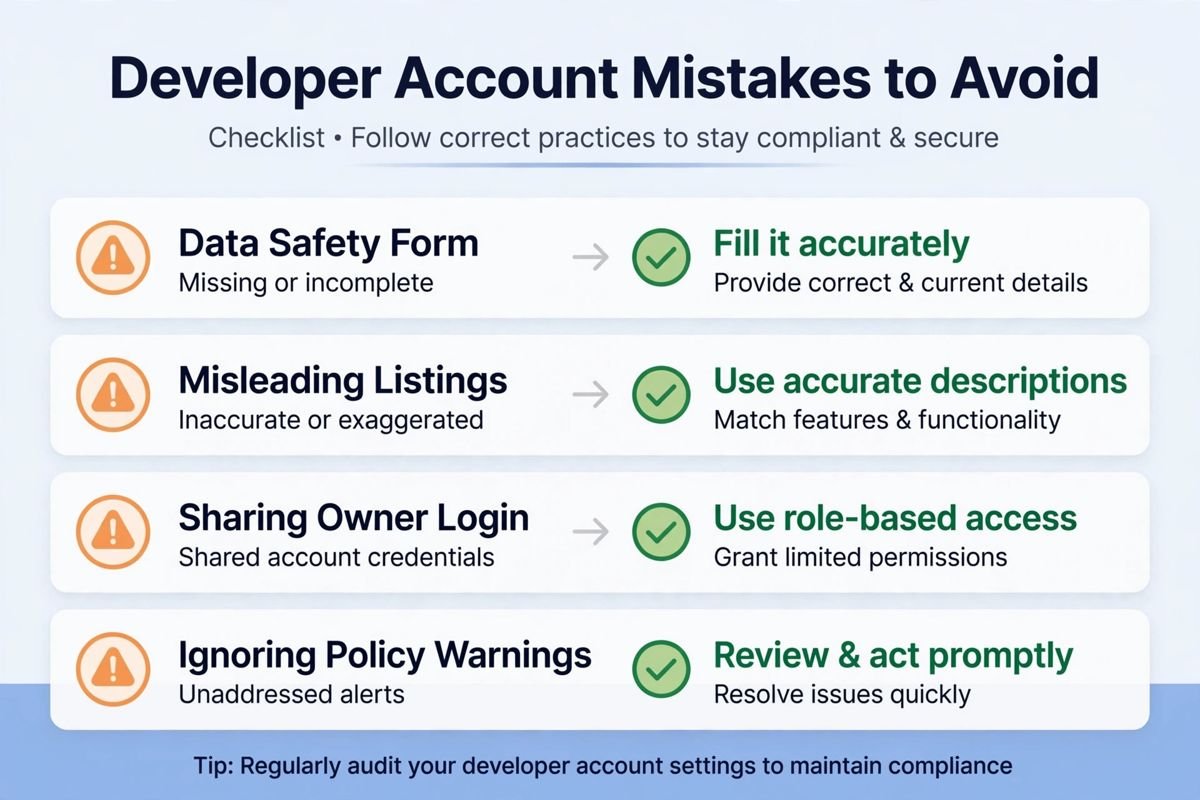
Repeating keywords unnaturally, promising features you don’t have, or using screenshots that misrepresent the app is deceptive behavior — a suspension-grade violation, not an ASO tactic. Google’s review systems now detect it automatically.
Avoid: honest, keyword-aware copy (see our listing optimization guide); screenshots that show the real app.
Freelancers and agencies do this for convenience — then a client’s app earns a strike that lands on your permanent record. Accumulate strikes across “different” apps and your entire account terminates.
Avoid: every client owns their own organization developer account; you’re invited as a user with a role. Non-negotiable.
One shared password across the team means no audit trail, no revocation when someone leaves, and a single compromise endangering everything. It’s also how ex-contractors retain access for months.
Avoid: individual invites under Setup → Users & permissions, least-privilege roles, two admins minimum, same-day revocation on offboarding.
Policy → Policy status warnings come with dates. Missing a deadline escalates automatically — warning to enforcement with no human reviewing your excuse.
Avoid: same-day triage, calendar every deadline, fix or appeal immediately. Enable policy notifications under Setup.
Buying reviews, incentivizing 5-stars, or review-swapping with other developers is manipulation — termination-grade. Google’s detection correlates install/review patterns; “everyone does it” is not a defense that has ever worked.
Avoid: earn reviews with a stable app and well-timed in-app review prompts; reply to critical reviews professionally.
App names, icons, or descriptions that mimic popular apps or brands — even “parody” or “inspired by” — trigger impersonation and IP violations. This includes using trademarked terms in keywords and copying listing copy.
Avoid: original branding, clearance-search your app name, and keep parody far away from the store listing.
Pushing 100% on day one turns a device-specific crash into a 1-star avalanche and a vitals-threshold breach — which costs store visibility on top of the reputational damage.
Avoid: staged rollouts always (10–20% → monitor 24–48h → ramp), pre-launch reports as promotion gates, and know where Halt rollout lives before you need it. Our release management guide has the full playbook.
Ad, analytics, and attribution SDKs are the usual culprits: they collect device identifiers, location, or behavior you never declared. When Google flags it, “the SDK did it” doesn’t transfer liability — you’re the declarant.
Avoid: inventory every SDK, read their data-collection docs, test with network inspection on release builds, and update declarations with each SDK change.
Terminated developers often “start fresh” — and Google’s association detection (devices, payment instruments, network signals, code fingerprints) terminates the new account too, sometimes within days. Evasion attempts also poison future legitimate registrations.
Avoid: never get terminated. And if terminated unfairly, appeal with evidence through official channels — the only path that works.
The enforcement ladder and full rulebook: Google’s Play Console Help Center, plus our developer responsibility playbook.
| # | Mistake | Avoidance stated in the guide |
|---|---|---|
| 1 | Treating the Data Safety form as paperwork | Audit every SDK quarterly, re-verify after every SDK update, declare conservatively |
| 2 | Keyword-stuffed, misleading listings | Honest, keyword-aware copy; screenshots that show the real app |
| 3 | Publishing client apps under your personal account | Every client owns their own organization developer account; you’re invited as a user |
| 4 | Sharing the owner login | Individual invites, least-privilege roles, two admins minimum, same-day revocation on offboarding |
| 5 | Ignoring policy warnings until the deadline passes | Same-day triage, calendar every deadline, fix or appeal immediately; enable policy notifications |
| 6 | Fake or incentivized reviews | Earn reviews with a stable app and well-timed in-app review prompts; reply to critical reviews professionally |
| 7 | Impersonation and IP infringement | Original branding, clearance-search your app name, keep parody away from the listing |
| 8 | Shipping without staged rollouts | Staged rollouts always (10–20% → monitor 24–48h → ramp), pre-launch reports as gates, know where Halt rollout lives |
| 9 | Letting SDKs collect data behind your back | Inventory every SDK, read their data-collection docs, test with network inspection, update declarations with each SDK change |
| 10 | Creating a new account after termination | Never get terminated; if terminated unfairly, appeal with evidence through official channels |
Termination rarely arrives without warning — the signals are visible weeks or months earlier to developers who know what to watch. Here’s the early-warning checklist.
Policy status activity. An uptick in warnings, even minor ones, across your apps is the clearest leading indicator. One warning is routine; three in a quarter is a pattern — audit what’s generating them before Google connects the dots for you.
Review velocity anomalies. Sudden review spikes (positive or negative) attract automated scrutiny: positive spikes suggest manipulation, negative spikes suggest a broken update or misleading listing. Both trigger reviews of your account, not just the app.
Vitals threshold approaches. Crash or ANR rates climbing toward Google’s bad-behavior thresholds don’t just cost visibility — they signal quality processes are slipping, and quality slips correlate with the carelessness that generates policy violations.
Declaration drift. The slow divergence between what your apps do and what your forms declare — new SDKs, added permissions, expanded data collection without form updates. Run a quarterly diff: current data safety form versus current manifest and SDK list. Drift you find yourself is a fix; drift Google finds is a strike.
Team and access churn. Rapid permission changes, new admins from unfamiliar accounts, or releases at odd hours can indicate compromised access — or just chaos. Either way, audit. The accounts that get hijacked successfully are the ones where nobody noticed the warning signs.
The response protocol. Any two warning signs in the same quarter triggers a full account health review: declarations re-verified, SDKs inventoried, listings audited, access reviewed. Catching problems at the warning-sign stage is the difference between a fix and an appeal.
Build an account health scorecard. Once a quarter, grade each app green/yellow/red across five dimensions: policy status clean, declarations current, vitals within thresholds, listing accurate, access appropriate. Any app with two yellows — or one red — gets a remediation plan with an owner and a deadline. The scorecard turns vague unease into an actionable list, and over quarters it reveals which apps (or teams) systematically generate risk. Present it alongside revenue in business reviews: account health is a business metric, not just a compliance chore, because a terminated account has zero revenue.
| Warning sign | What it signals in the guide |
|---|---|
| Policy status activity | An uptick in warnings is the clearest leading indicator; three in a quarter is a pattern |
| Review velocity anomalies | Positive spikes suggest manipulation, negative spikes suggest a broken update or misleading listing; both trigger reviews |
| Vitals threshold approaches | Crash/ANR rates climbing toward bad-behavior thresholds signal quality processes are slipping |
| Declaration drift | Divergence between what apps do and what forms declare — new SDKs, added permissions, expanded collection without form updates |
| Team and access churn | Rapid permission changes or unfamiliar admins can indicate compromised access or chaos — audit |
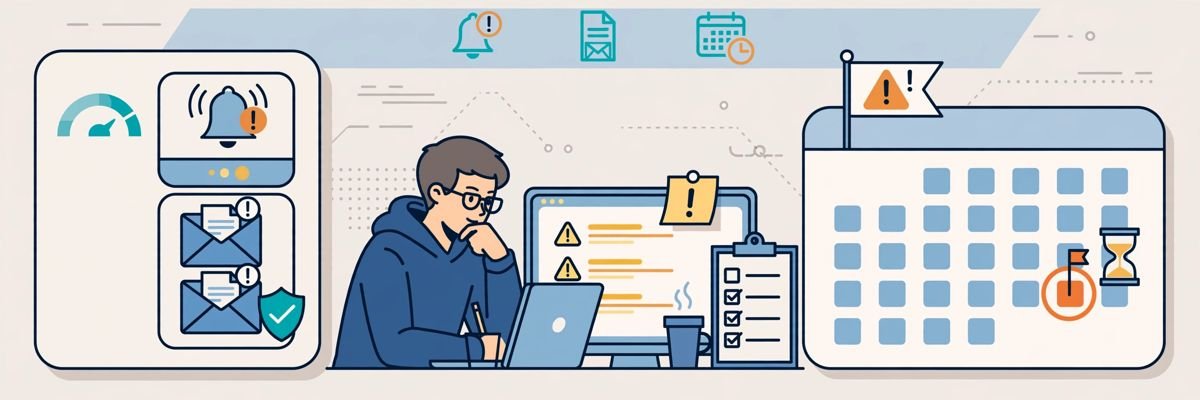
Severe single violations (malware, fraud, egregious deception) or accumulated strikes: deceptive behavior, data-safety mismatches from undeclared SDK collection, impersonation, IP infringement, manipulated reviews, and ban evasion. Enforcement is account-level — every app on the account goes down together, which is why portfolio-wide hygiene matters.
Appeal through Google’s official termination appeal process with evidence the termination was mistaken or the violation fully remediated — success is uncommon without strong evidence. Creating a replacement account to evade termination triggers association detection and gets the new account terminated too, usually within days.
Google doesn’t publish a fixed count — severity matters far more than number, and a single egregious violation can skip the queue entirely. Treat every policy warning as potentially decisive: triage same-day, fix or appeal before the deadline, and never let warnings accumulate unanswered.
Yes — enforcement attaches to the developer account, not the individual app, so strikes accumulate across your entire portfolio. This is why client apps must live on client-owned accounts, why acquisitions need policy diligence, and why the app you ignore can endanger the apps you care about.
Data safety mismatches from undeclared third-party SDK collection, and deceptive listings (keyword stuffing, misleading screenshots) top the list. Both are entirely preventable with quarterly SDK audits and honest metadata — the developers who get terminated for these weren’t unlucky, they were inattentive.
Per app, check Policy → Policy status in the console, plus the account-level overview for cross-app signals. Review it on a fixed cadence (weekly for active publishers) and keep policy notifications enabled — silent accounts miss the deadlines that escalate warnings into enforcement.
Every one of these 10 mistakes is a choice — usually the convenient choice in the moment, and always the expensive one later. The developers who keep their Google Play Store developer accounts for years aren’t lucky; they’re disciplined about declarations, listings, access, deadlines, and releases. Choose the boring, correct option each time, and termination stays a story about other people.
Play Console Store is an independent marketplace helping Android developers stay compliant — policy audits, declaration reviews, and account health guidance. Explore our Google Play services.