

November 8, 2026

Your Google Play developer account is the legal and technical identity under which every app you publish lives or dies. Pick the wrong type, verify sloppily, or misunderstand the ongoing obligations, and you’ll spend months untangling problems that a careful first setup would have avoided entirely. This guide goes deep on the account itself: the two types compared head-to-head, the true cost over time, the verification gauntlet, and the operating rules that keep your account alive.
A Google Play developer account is the paid, identity-verified publisher identity behind every app you release: $25 one-time, personal accounts verify with a government ID, organisations with a D-U-N-S number, and new accounts must complete 14 days of closed testing with at least 12 testers before production unlocks.
A Google Play developer account is Google’s record of you (or your company) as a publisher. It is created inside Play Console at play.google.com/console/signup, bound to one Google account as its owner, sealed with a $25 registration fee, and gated behind identity verification. Once active, it carries:
Google enforces policy against this account as a unit. That is the single most important thing to internalize: three strikes across three different apps still terminate the one account holding them. If you’re new to the console overall, start with our complete Google Play Console guide before diving into account specifics.
| Personal | Organization | |
|---|---|---|
| Who it’s for | Individual developers | Companies, studios, agencies, teams |
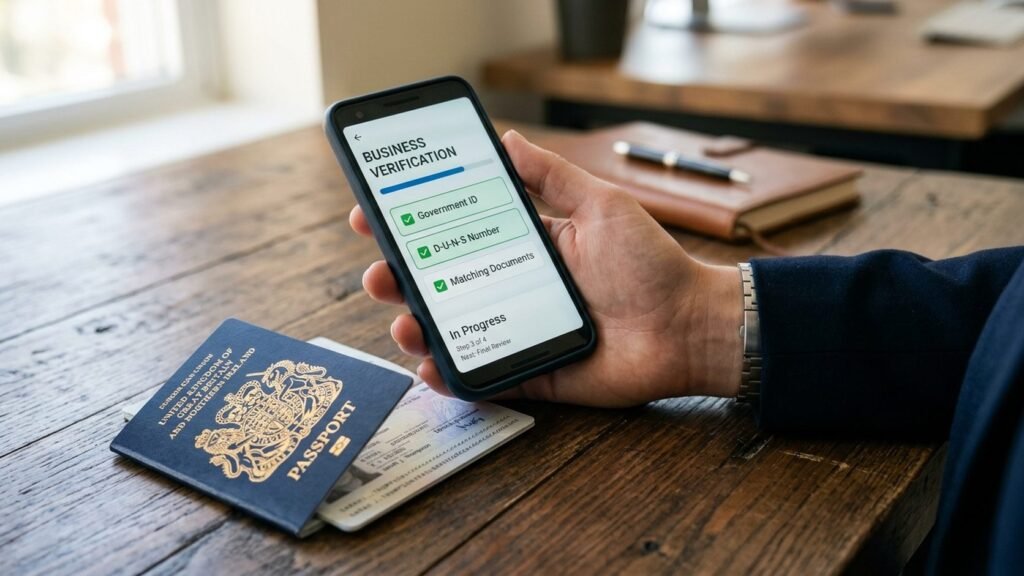
| Verification | Government photo ID + phone | D-U-N-S number + business documents + website |
| Typical approval time | 1–3 business days | 1–3 weeks |
| Developer name shown | Your personal legal name | Your company name |
| Registration fee | $25 one-time | $25 one-time |
| 14-day closed testing rule | Applies to new accounts | Applies to new accounts |
| Best for | Indie devs, hobbyists, solo freelancers | Businesses, client work, teams |
Choose personal when: you publish your own apps under your own name, you want the fastest path to publishing, and you don’t need a brand name on your listings.
Choose organization when: you’re a registered business, you publish apps for clients, multiple people need owner-level continuity, or your brand matters on the store listing. Agencies: each client should own their own organization account with you invited as a user — if a client’s app gets terminated under your personal account, the strike is yours.
Switching later is painful. Google does not offer a one-click “convert personal to organization” button. The practical path is creating a new organization account and transferring apps between accounts — a manual process per app, with review each time. Decide correctly now.
The $25 fee is just the entry ticket. Here’s the full ledger:
There is no subscription, no annual renewal, and no per-app fee. Anyone telling you the fee is monthly, or offering to “waive” it, is misinformed or running a scam.
The table below breaks down the full cost ledger:
| Cost item | Details |
|---|---|
| Registration | $25 USD one-time per account; non-refundable, even if verification fails |
| Revenue share | 15% on the first $1M of annual earnings per developer account; 30% beyond that — applies to paid apps, in-app purchases, and subscriptions |
| D-U-N-S number (organizations) | Free through the standard Dun & Bradstreet request, but can take up to 30 days; expedited service runs about $229 |
| Business registration | Varies by country and state — whatever it costs to have a real, verifiable legal entity |
| Verification time | Budget days for personal accounts, weeks for organization accounts |
Verification lives under Setup → Developer account in Play Console. The exact sequence:
Rejection reasons, ranked by frequency: (1) blurry or cropped ID photos; (2) name mismatch between the ID and the Google account; (3) D-U-N-S address differing from submitted documents by even an abbreviation (“St.” vs “Street” has caused failures); (4) a website that doesn’t clearly belong to the business; (5) a Google account created minutes before registration with no verification history.
Fix precisely what Google flags. Resubmitting with unrelated changes restarts the review clock.
New personal developer accounts — and new organization accounts publishing their first app — must complete 14 days of closed testing with at least 12 opted-in testers before the production track unlocks. Operational details that matter:
This single requirement kills more launch timelines than any other. If recruiting and managing 12+ genuine testers for two weeks sounds daunting, our 14-day closed testing coordination service handles tester recruitment, opt-in tracking, and build distribution for you.
Owning a Google Play developer account is an ongoing compliance relationship, not a one-time purchase:
For the authoritative rulebook, bookmark Google’s Play Console Help Center — policy pages change, and the help center is the source of truth.
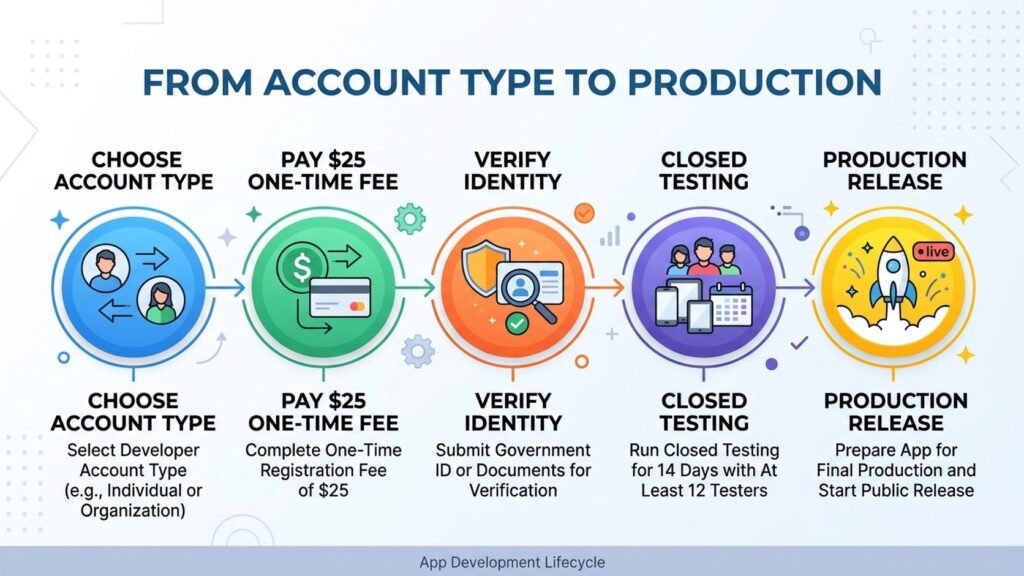
A Google Play developer account costs $25 as a one-time fee — no renewals, no per-app charges, unlimited apps. Google also takes a 15% service fee on your first $1M in annual Play earnings per account (30% above $1M). Organization accounts may add D-U-N-S expediting or business registration costs.
No. A Google account is the free login for Gmail and Google services. A Google Play developer account is a paid, identity-verified publishing enrollment attached to a Google account. You need a Google account to create one, but only the developer account grants Play Console publishing rights.
There’s no direct conversion. The standard path is registering a new organization account (new $25 fee, full verification) and transferring your apps to it via Play Console’s app transfer flow. Plan for per-app review during transfer, and keep the old account until every transfer completes.
Personal accounts usually clear verification in 1–3 business days. Organization accounts take 1–3 weeks due to manual D-U-N-S and document checks. Add the 14-day closed testing requirement for new accounts before your first production release.
Termination removes all apps on the account and permanently bans that developer identity. Creating a new account to evade termination leads to the new account being terminated as well once Google links them. This is why protecting account standing — honest declarations, prompt policy responses, secure credentials — matters from day one.
Only for organization accounts. Personal accounts verify with a government-issued photo ID instead. If you register as an organization, request your D-U-N-S number early — standard issuance can take up to 30 days, and the name/address must match your business documents exactly.
The Google Play developer account is simple to buy and demanding to keep. The $25 fee gets you in the door; what keeps you publishing for years is choosing the right account type up front, verifying with meticulous documents, respecting the 14-day testing rule, and treating every policy declaration as a binding statement — because to Google, it is.
Play Console Store is an independent marketplace helping Android developers with the parts of this process that stall launches: account setup guidance, identity verification support, closed testing coordination, and policy compliance. See how our Google Play services work — or read our step-by-step signup walkthrough when you’re ready to register.