

November 15, 2026

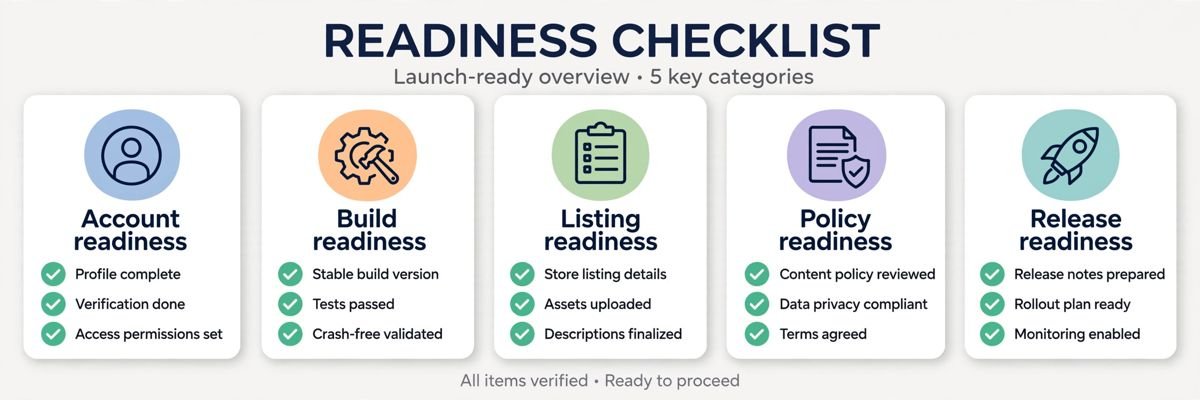
For a Google developer launching on the Play Store, the difference between “approved in days” and “rejected three times” is almost never the app — it’s the checklist. Google’s review is a gauntlet of account, build, listing, policy, and release checks, and missing any one of them bounces your submission back to the start of the queue. This is the pre-launch checklist professionals run: 27 checks across five categories, in dependency order.
In short: For a Google developer launching on the Play Store, approval in days versus rejection after rejection comes down to a checklist, not the app: 27 checks across account, build, listing, policy, and release, in dependency order. Run every check before you submit, and launch day becomes boring — in the best way. This guide walks the checklist, then the first-week plan.
Account setup depth: our developer account guide.
Build pipeline detail: our Studio-to-store workflow.
Listing craft: our listing optimization guide.
Most rejections come from this category. When in doubt, over-declare data and under-claim features.
Release tactics: our release management guide. Testing bottleneck? Our closed testing coordination.
Google’s official launch docs: Play Console Help Center.
| Category | Focus stated in the guide |
|---|---|
| Account Readiness (Do First) | Developer account verified, $25 fee paid and agreement accepted, developer profile complete, two admins, payments profile + tax forms, notifications enabled |
| Build Readiness | Play App Signing enrolled, AAB built from release variant signed with upload key, version code incremented, internal track validated, pre-launch report clean, license testers configured |
| Listing Readiness | App name (30 chars), short description (80 chars), full description (4,000 chars), icon 512×512, feature graphic 1024×500, screenshots in exact dimensions, category/contact details, privacy policy URL |
| Policy Readiness (The Rejection Filter) | Content rating, target audience, data safety form matching app and every SDK, ads declaration, no impersonation/IP issues |
| Release Readiness | Closed testing track with real testers (new accounts: 14 days, 12+ opted-in), countries/regions, pricing finalized, release notes per language, staged rollout plan 10–20% first |
Launch day is the starting line. Here’s the day-by-day plan for the first week live.
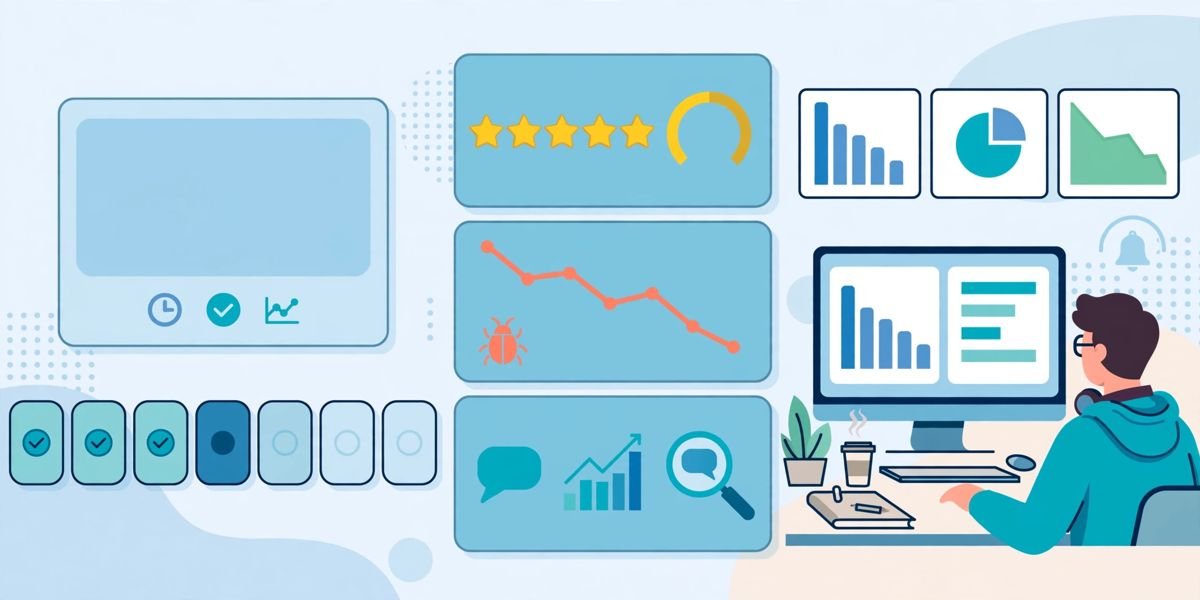
Day 1 — Watch the rollout. Confirm the staged rollout is advancing as planned (Release → Release overview). Monitor Android vitals hourly for crash spikes — day-one crashes are almost always device or OS-specific issues your testing missed. Keep the halt procedure and a hotfix path ready; deciding the rollback criteria before launch prevents panic decisions.
Day 2 — Review triage. Read every review. Reply to 1–2 star reviews personally and specifically — early reviewers are your most engaged users, and visible responsiveness converts critics into advocates. Log recurring complaints; patterns on day two become your first update’s fix list.
Day 3 — Metrics baseline. Record your baseline: installs, conversion rate, retention day-1, crash rate, average rating. You can’t measure improvement without a starting point, and launch-week numbers (inflated by announcement traffic) need to be labeled as such for honest later comparison.
Day 4 — First experiment. Launch a store listing experiment (icon or screenshot variant) while traffic is high — launch weeks give you statistical significance faster than any other time. Also review pre-registration conversion: how many notify-me users actually installed?
Day 5 — Hotfix decision. By now you know whether a hotfix is needed. If crash rates or review themes demand it, ship the fix through the tracks (internal → validate → staged production) — don’t rush an untested hotfix to 100%; that’s how you trade one incident for another.
Weekend — Retro and roadmap. What worked in the launch checklist? What slipped? Update the checklist with lessons while they’re fresh, and draft the first month’s roadmap: the update cadence that keeps ratings climbing and the next experiment queue. Launches are won in the preparation, but momentum is won in week one.
Month one — Sustain the momentum. Set a biweekly update cadence for the first two months: each update fixes top review complaints, and each release’s notes call out “thanks to your feedback” fixes — visible responsiveness converts reviewers into evangelists. Keep one store listing experiment running continuously and start a second closed-testing cohort for the next feature milestone. If ratings are climbing and vitals are green, prepare a featuring pitch: Google features apps with strong quality signals, fresh content, and platform best-practice adoption — month one is when your signals are strongest. Document everything the launch taught you; the second launch reuses the playbook, and playbooks beat heroics every time. Schedule the month-two review now: ratings trend, retention versus baseline, experiment results, and next quarter’s feature bets. Launches create a brief window of algorithmic attention — developers who plan month two during week one convert that window into lasting rank, while everyone else watches it fade. Document the launch in a post-mortem within two weeks while memories are fresh: what the checklist caught, what slipped through, timeline accuracy. The post-mortem is what turns one good launch into a repeatable system. Archive the launch metrics with the post-mortem: baseline versus month-one numbers, experiment outcomes, review themes. Next launch starts from data, not memory.
| When | Focus |
|---|---|
| Day 1 — Watch the rollout | Confirm staged rollout is advancing; monitor Android vitals hourly for crash spikes; keep halt procedure and hotfix path ready |
| Day 2 — Review triage | Read every review; reply to 1–2 star reviews personally and specifically; log recurring complaints |
| Day 3 — Metrics baseline | Record installs, conversion rate, retention day-1, crash rate, average rating |
| Day 4 — First experiment | Launch a store listing experiment while traffic is high; review pre-registration conversion |
| Day 5 — Hotfix decision | Ship a needed fix through the tracks (internal → validate → staged production) if crash rates or review themes demand it |
| Weekend — Retro and roadmap | Update the checklist with lessons; draft the first month’s roadmap |
Policy declaration failures — data safety forms that don’t match actual app and SDK behavior, missing or inadequate privacy policies, wrong content ratings or target audiences — followed by misleading listings and technical crashes. Run the policy category of the pre-launch checklist with paranoia; most rejections are preventable paperwork, not product problems.
For a brand-new developer: verification (days to weeks) plus 14-day closed testing with 12+ testers plus 3–7 days of review — realistically 4–6 weeks. For existing accounts with a ready app, review typically takes 3–7 days for new listings; updates are usually faster at 24–48 hours.
Yes for new personal developer accounts: 14 days with 12+ opted-in testers before the production track unlocks — no exceptions, no shortcuts. Even where not mandatory, closed testing catches the crashes and policy issues that cause launch-week rejections, making it cheap insurance for any launch.
Free → paid is allowed; paid → free is not. This asymmetry makes the initial pricing decision permanent in one direction, so when uncertain, launch free with in-app purchases rather than paid — you can always add a price later, but you can never remove one.
Yes for any coordinated launch — submit for review early, then publish manually when marketing, press, and support are ready. It decouples Google’s unpredictable review timeline from your announcement moment, which is the difference between launching on your schedule and launching on the review queue’s.
Staged rollout percentage versus plan, Android vitals crash and ANR rates against thresholds, new reviews (reply fast, especially critical ones), and support inbox volume. Keep the halt procedure and a fix-release path ready — the vast majority of launch issues surface inside this window, and fast response defines the launch narrative.
Launch day should be boring — and with this 27-point checklist, it will be. Account verified, build validated, listing honest, declarations truthful, release staged: that’s the entire formula. The developers who get rejected repeatedly aren’t unlucky; they’re skipping categories.
Play Console Store is an independent marketplace that runs this checklist with you — account setup, closed testing, listing review, and launch management. Explore our Google Play services.