

November 11, 2026

Before you create a developer account for Google Play, you face a handful of decisions that are cheap to get right now and expensive to fix later: which Google account owns it, personal vs. organization, what documents you’ll need, and how the 14-day testing rule affects your launch date. This is the pre-signup guide — the checklist to complete before you open play.google.com/console/signup, so registration takes minutes instead of weeks of rework.
In short: Before creating a developer account for Google Play, choose a long-term owner Google account, decide personal versus organisation, and gather your documents — government ID, or a D-U-N-S number and business filings for organisations. Budget for the $25 fee, verification of days (personal) or weeks (organisation), and 14 days of closed testing with 12 testers.
The developer account binds permanently to one Google account as its owner. Choose with a 5-year horizon:
You can invite team members later under Setup → Users & permissions — the owner account itself should change hands as rarely as possible.
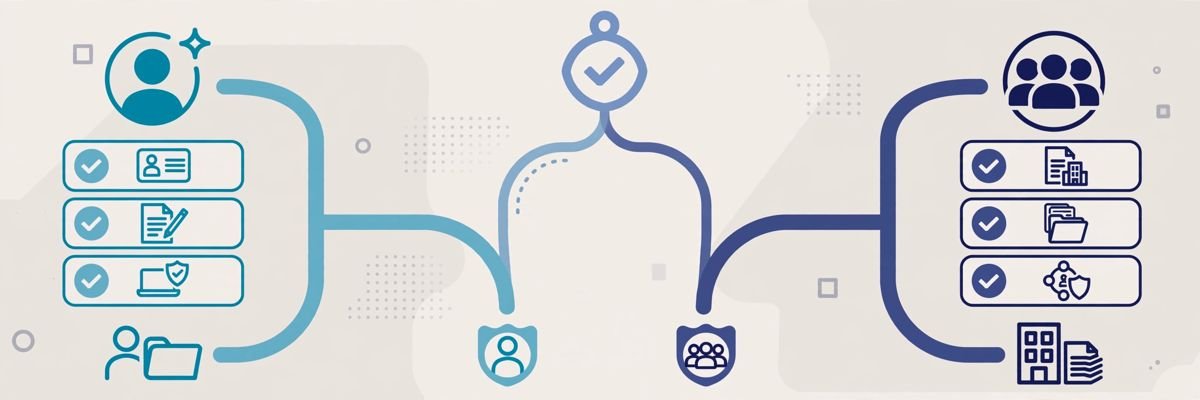
This is the highest-stakes pre-signup choice — there’s no clean conversion later.
Choose personal if: you’re an individual publishing your own apps under your own legal name, and you want the fastest route (government ID verification, typically 1–3 days).
Choose organization if: you’re a registered company or studio, you publish apps for clients, your brand name must appear on listings, or multiple people need continuity of ownership. You’ll need a D-U-N-S number, business registration documents, and a verifiable company website; approval takes 1–3 weeks.
Freelancer rule: clients own their own organization accounts; you get invited as a user. Publishing client apps under your personal account puts their policy strikes on your permanent record.
Our personal vs. organization deep-dive compares every dimension if you’re on the fence.
The table below summarises the personal vs. organization choice:
| Factor | Personal | Organization |
|---|---|---|
| Best for | Individual publishing own apps under own legal name | Registered company or studio, publishing for clients, brand name on listings, continuity of ownership |
| Verification documents | Government-issued ID | D-U-N-S number, business registration documents, verifiable company website |
| Typical approval time stated | 1–3 days | 1–3 weeks |
Gather these before you start — each missing item is a delay:
The D-U-N-S detail deserves emphasis: “Street” vs “St.”, suite numbers, and legal suffixes (LLC, Inc.) must match your Dun & Bradstreet record character-for-character. Mismatches are the #1 organization verification failure.
Registration unlocks in this order — don’t plan a launch until all three clear:
Then the publishing pipeline: create the app, upload the.aab, complete the store listing, finish policy declarations (content rating, target audience, data safety, privacy policy URL), and submit for review (typically 3–7 days).
No free tier exists. “Free developer account” offers are scams or resold accounts Google will terminate — and association with terminated accounts can poison your future registrations.
Google documents the official requirements in the Play Console Help Center.
Here’s the realistic week-by-week plan from decision to first production release as a new developer.
Week 1 — Identity. Choose the owner Google account and secure it (2SV, recovery contacts). Decide personal vs. organization. Organizations: submit the D-U-N-S request immediately — this is the critical path.
Week 2 — Documents. Personal: take a clean ID photo and verify name alignment across ID, Google account, and planned developer profile. Organization: reconcile D-U-N-S records against business filings character-for-character; confirm the website is live and matching.
Week 3 — Registration. Submit verification at play.google.com/console/signup. Personal accounts often clear within days — use the wait to build: enroll team, draft the store listing, prepare the.aab. Organizations: expect review to run into week 4–5.
Week 4 — Verification clears. Pay the $25 fee, accept the agreements, complete the developer profile. Immediately: enroll in Play App Signing, invite the second admin, configure license testing, enable notifications.
Weeks 4–6 — The testing gate. Create the closed track, recruit 12+ testers, distribute opt-in links, and run genuine testing for 14 days. In parallel: finalize the store listing, complete every policy declaration, and prepare the production release with staged rollout settings.
Week 6 — Launch. Submit the production release the day the gate clears; review takes 3–7 days. Use managed publishing to decouple Google’s review timeline from your launch announcement.
Compress the timeline by overlapping ruthlessly — verification waits are for building, not waiting.
The table below summarises the 6-week timeline:
| Week | Focus |
|---|---|
| Week 1 — Identity | Choose owner Google account, secure it with 2SV and recovery contacts; decide personal vs. organization; organizations submit D-U-N-S request immediately |
| Week 2 — Documents | Personal: clean ID photo and name alignment; Organization: reconcile D-U-N-S records against business filings, confirm website is live and matching |
| Week 3 — Registration | Submit verification at play.google.com/console/signup; use the wait to build, enroll team, draft listing, prepare the.aab |
| Week 4 — Verification clears | Pay the $25 fee, accept agreements, complete developer profile; enroll in Play App Signing, invite second admin, configure license testing, enable notifications |
| Weeks 4–6 — The testing gate | Create closed track, recruit 12+ testers, run genuine testing for 14 days; finalize listing and policy declarations in parallel |
| Week 6 — Launch | Submit production release when the gate clears; review takes 3–7 days; use managed publishing |
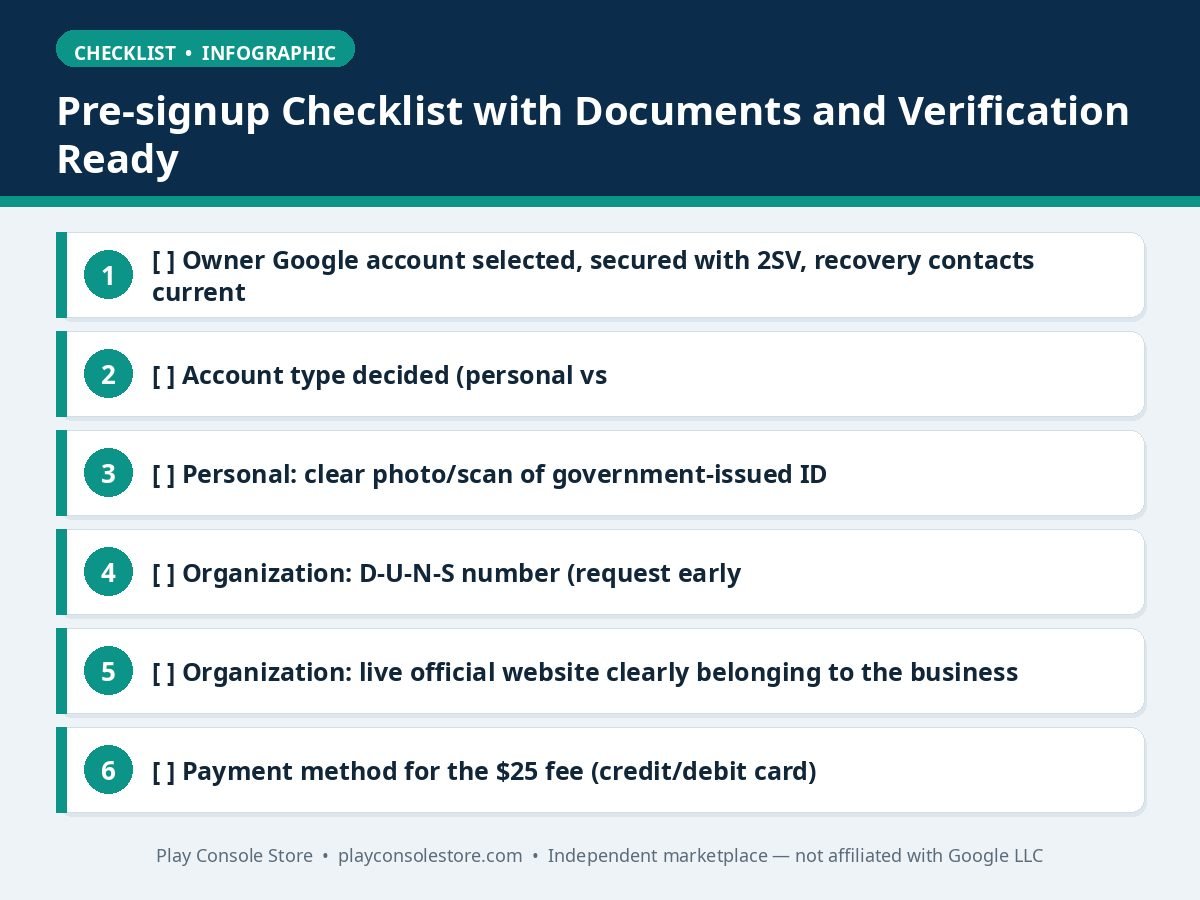
A long-term Google account secured with 2-step verification, your personal-vs-organization decision made, identity documents ready (government ID for personal; D-U-N-S number plus business documents for organization), a $25 payment method, and your public profile details. Organizations should request the D-U-N-S number weeks ahead since standard issuance takes up to 30 days.
Verification takes 1–3 business days for personal accounts and 1–3 weeks for organizations with manual D-U-N-S review. New accounts then need 14 days of closed testing with 12+ opted-in testers before the first production release — so plan 4–6 weeks from signup to a public listing, and recruit testers during verification to compress it.
Yes — personal developer accounts are designed for individuals: verify with a government-issued photo ID, pay the $25 fee, and publish under your legal name. No company, D-U-N-S number, or business documents are required, and approval typically lands within 1–3 business days.
One in nearly all cases — a single organization account holds unlimited apps, each with its own statistics, tracks, and per-app permissions. Multiple accounts multiply the $25 fees and verification overhead while attracting Google’s scrutiny of linked accounts; if one account gets terminated for evasion, the linked ones follow.
The owner Google account itself can’t be swapped, but continuity is straightforward: invite another user and grant the Admin role under Setup → Users & permissions. Individual apps can also be transferred between developer accounts via the official app transfer flow. Plan ownership deliberately at signup to avoid restructuring later.
Blurry or cropped ID photos, name mismatches between the ID and the Google account, D-U-N-S records differing from business documents, non-functional business websites, and registering from a minutes-old Google account with no history. The rejection notice names the specific issue — fix exactly that and resubmit without changing unrelated details.
A developer account for Google Play is a 30-minute registration wrapped around decisions that last years. Get the owner identity, account type, and documents right before you start; budget honestly for verification and the 14-day testing rule; and never cut corners on declarations or credentials. Do that, and signup is the easiest part of your publishing journey.
Play Console Store is an independent marketplace that helps Android developers get this foundation right — account setup guidance, verification support, and closed testing coordination. Explore our Google Play services or read our complete signup walkthrough.