

November 13, 2026

Being a Play Console developer — a registered publisher on Google Play — is a role with real obligations, not just a $25 purchase. Google holds you accountable for everything under your developer account: every app’s behavior, every declaration’s truthfulness, every SDK’s data collection, and every policy deadline. Developers who internalize this responsibility keep publishing for years; those who treat the account as a disposable asset get terminated. This guide is the responsibility playbook.
In short: A Play Console developer is the verified publishing identity behind Google Play listings, accountable for truthful declarations, policy compliance across every app, deadline discipline, user support and account security. Enforcement is account-level — three serious violations can terminate everything — so treat the account as a professional licence: stage releases, audit SDKs and keep records.
A Play Console developer is the legal publishing identity behind one or more Google Play listings. Concretely, it means:
The account mechanics are in our developer account guide. This article is about the conduct the role demands.
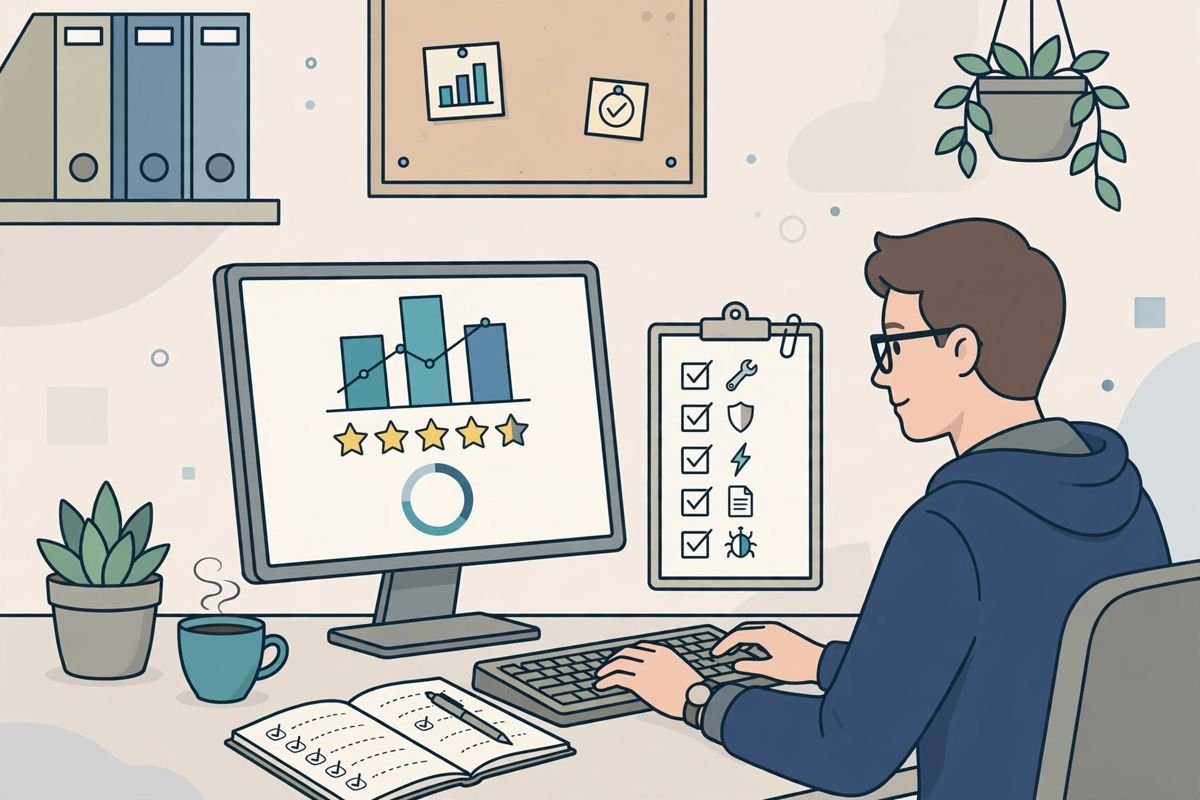
Your data safety form must match your app’s actual behavior — including third-party SDKs. Every SDK update is a re-verification event: audit what changed, update the form. Content rating and target audience answers get the same treatment. “I didn’t know the SDK collected that” is not a defense Google accepts.
Impersonation, deceptive behavior, IP infringement, malware-like SDK behavior, manipulated reviews — the violation list is long and enforcement is increasingly automated. Read the policies that apply to your app categories; don’t rely on “everyone does it.”
Policy warnings in Policy → Policy status come with dates. Miss one and enforcement escalates automatically — no human reviews your excuse. Same-day triage, calendar the deadline, fix or appeal immediately.
Respond to reviews (especially critical ones), honor refund-adjacent complaints gracefully, and keep support contact details functional. A pattern of ignored users feeds both bad ratings and policy attention.
2-step verification on the owner account, individual team invites (never shared logins), two admins minimum, quarterly access audits. A hijacked developer account that ships malware gets terminated — and proving the hijack afterward is a months-long appeal.
Association is the silent killer: Google links accounts via devices, payment instruments, and network signals. Developers terminated under one identity who “start fresh” usually get the new account terminated too. The only winning move is never getting terminated.
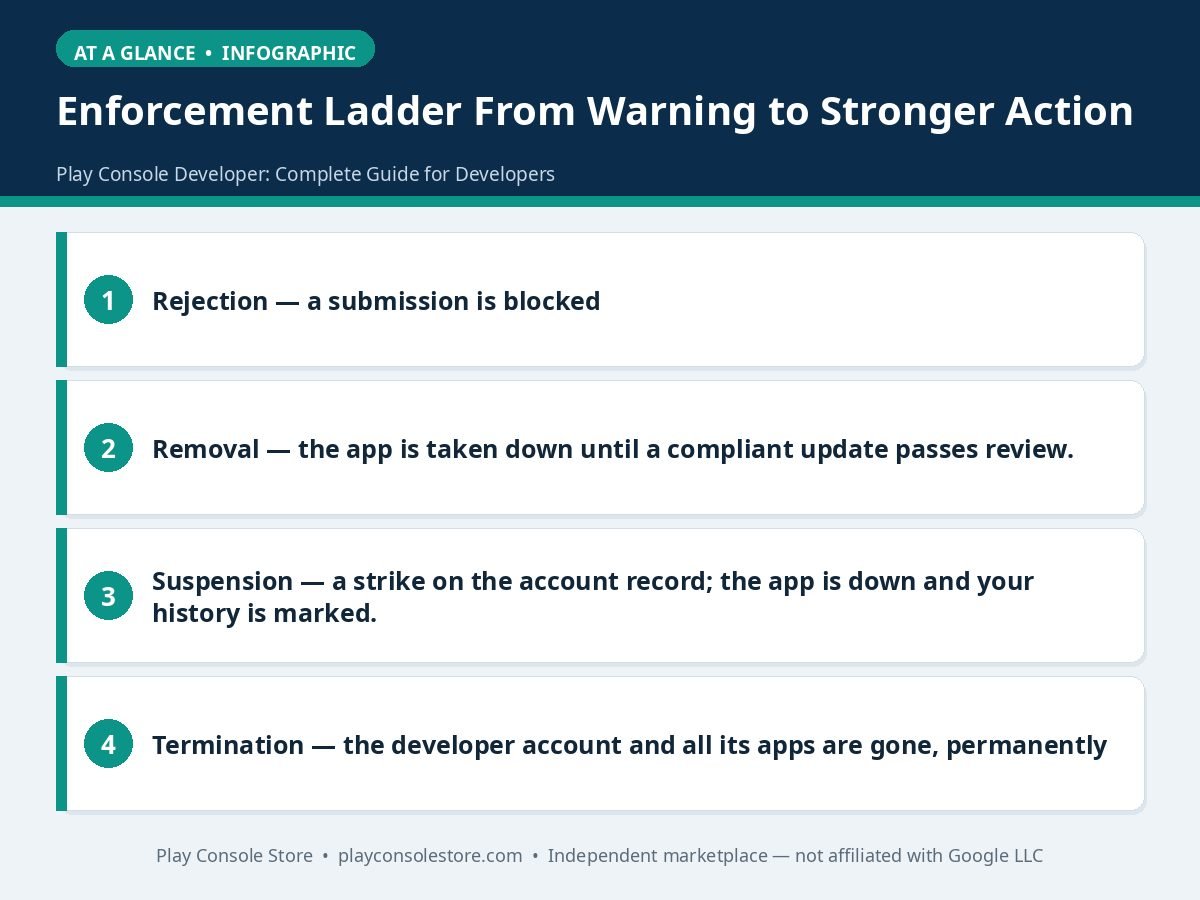
The table below summarises the enforcement ladder:
| Level | Effect stated in the guide |
|---|---|
| Rejection | A submission is blocked; fix and resubmit |
| Removal | The app is taken down until a compliant update passes review |
| Suspension | A strike on the account record; the app is down and your history is marked |
| Termination | The developer account and all its apps are gone, permanently; new accounts created to evade termination are terminated on association |
Releases: staged rollouts (10–20% → monitor 24–48h → ramp), halt on regression, release notes in plain language, never ship on Friday. Full tactics in our release management guide.
Quality: pre-launch reports as promotion gates, vitals reviewed weekly against Google’s bad-behavior thresholds, SDK inventory audited quarterly.
Team: least-privilege roles, documented role matrix, offboarding revocations same-day, service accounts for CI/CD with rotated keys.
Growth: honest listings (no keyword stuffing), localized store pages, pre-registration campaigns, store listing experiments for graphics. Our developer best-practices guide has the full list.
Records: which Google account owns the developer account, who the admins are, version-code scheme, tester lists, SDK inventory. Accounts outlive memories — write it down.
Google’s rulebook: the Play Console Help Center.
Compliance fails when it’s nobody’s calendar. Here’s the operating cadence that keeps a Play Console developer ahead of policy instead of reacting to it.
Daily (5 minutes). Policy status glance across apps — any new warnings? Vitals alerts? This is the early-warning layer; most enforcement gives notice first, and notice only helps if someone’s watching.
Weekly (30 minutes). Review new reviews for policy-adjacent complaints (privacy concerns, misleading-expectation themes). Check Google’s policy update announcements. Confirm staged rollouts advanced as planned and vitals stayed green.
Monthly (2 hours). Deep-dive one app per month on rotation: declarations vs. actual behavior, listing accuracy (screenshots still match the UI? claims still true?), SDK changelog review for data-collection changes, and privacy policy currency. Document findings; fix within the week.
Quarterly (half day). Full SDK inventory reconciled against data safety forms across all apps. Users & permissions audit — remove stale access, confirm two admins. API key rotation. Payments profile and tax info verification. Review the quarter’s policy changes for newly applicable requirements.
Per release. Declarations re-confirmed, pre-launch report security findings cleared, release notes honest, staged rollout planned with a named monitor. No release ships without the checklist — the checklist is the compliance system at the moment of maximum risk.
Ownership. One named person owns the calendar. They don’t do everything — they ensure everything gets done and the records exist. When Google asks “what’s your compliance process,” the calendar plus its logs is the answer.
Starting from zero. If you’ve never run a compliance cadence, don’t try to install the full calendar in a week. Month one: daily policy-status glances and the per-release checklist. Month two: add the weekly review slot. Month three: run your first monthly deep-dive on your highest-revenue app. By month four, the quarterly audit is just the monthly habit writ large. Compliance compounds like everything else in publishing — the developers who start small and persist lap the ones who attempt a big-bang program and abandon it. Document each step as you add it; in six months you’ll have a compliance manual written from practice, not theory, and an account history that shows Google a pattern of diligence. Share the calendar with stakeholders quarterly — visibility turns compliance from one person’s burden into a team norm, and norms survive personnel changes better than any individual owner. Review the calendar’s effectiveness annually: which checks caught real issues, which never fired, what’s missing? A compliance calendar that never changes is one nobody’s thinking about — evolve it with your portfolio and Google’s policy updates.
The table below summarises the compliance calendar cadence:
| Cadence | Time stated | Focus |
|---|---|---|
| Daily | 5 minutes | Policy status glance across apps; vitals alerts |
| Weekly | 30 minutes | Review new reviews for policy-adjacent complaints; check policy update announcements; confirm staged rollouts and vitals |
| Monthly | 2 hours | Deep-dive one app on rotation: declarations vs. actual behavior, listing accuracy, SDK changelog review, privacy policy currency |
| Quarterly | Half day | Full SDK inventory vs. data safety forms; Users & permissions audit; API key rotation; payments profile and tax info verification |
| Per release | — | Declarations re-confirmed, pre-launch report security findings cleared, release notes honest, staged rollout planned with a named monitor |
Truthful policy declarations (data safety, content rating, target audience) maintained continuously, compliance across every app in the portfolio, meeting policy deadlines without exception, supporting users through reviews and support channels, and securing the publishing identity. Enforcement is account-level, so every responsibility protects the whole portfolio at once.
Google doesn’t publish a fixed number — severity matters far more than count. A single egregious violation (malware, fraud, large-scale deception) can terminate immediately, while lesser violations accumulate on the account record. Treat every strike as potentially the last one and every warning as requiring same-day action.
Yes, but the correct structure is the client owning their own organization developer account with you invited as a user holding an appropriate role. Publishing client apps under your personal account puts their violations on your permanent record — one client’s carelessness can then terminate everything you publish.
All apps on the account are removed from Google Play and the developer identity is permanently banned. Appeals exist but succeed only with evidence the termination was mistaken or the violation fully remediated. Creating a new account to evade termination triggers association detection and gets the new account terminated too.
Nearly always — most apps require a real, hosted privacy policy URL, and it must be consistent with the data safety declaration field-for-field. Placeholder pages, broken links, or policies that contradict the declared data practices are instant rejections and, if discovered later, policy violations.
Through the account’s payments profile: complete the tax forms (W-9 for US, typically W-8BEN for others), add verified payout bank details, and Google pays monthly once earnings exceed the country threshold. Payouts stall until tax info is complete — the most common avoidable delay, so finish it at setup.
The Play Console developer who lasts is the one who treats the account as a professional license: declarations kept true, deadlines never missed, releases staged, access secured, and records kept. None of it is glamorous; all of it is what separates decade-long publishers from terminated ones.
Play Console Store is an independent marketplace helping Play Console developers operate professionally — setup, verification, testing, releases, and compliance. Explore our Google Play services.