

November 10, 2026

Every developer on the Google Play Store competes with 3+ million apps for attention, and the difference between apps that grow and apps that stall usually isn’t code quality — it’s publishing craft. The developers who win treat the Play Store as a discipline: listing optimization, release engineering, vitals monitoring, and policy hygiene, executed consistently. Here are 18 field-tested tips and best practices, organized from pre-launch to scale.
In short: succeeding as a developer on Google Play Store means treating publishing as a craft — choose the right account type, start the 14-day closed test with 12 testers early, enroll in Play App Signing, write an honest keyword-aware listing, stage every rollout, watch Android vitals, and answer policy warnings the same day. These 18 tips cover each step.
Personal for solo publishing under your own name; organization for companies and client work. There’s no clean conversion path later — you’ll re-register and transfer apps. Decide with our developer account comparison.
New personal accounts can’t touch production until 14 days of closed testing with 12+ opted-in testers complete. Recruit testers the week you start building, not the week you want to launch. Our closed testing coordination exists for exactly this bottleneck.
Setup → App signing. Losing an unmanaged upload key can permanently block updates to your app. Enrollment takes minutes and eliminates an entire class of disaster.
Most apps require a real privacy policy URL. Draft it during development, host it on a domain you control, and make sure it matches your data safety declaration field-for-field.
The table below summarises these foundation steps:
| Foundation | Guidance in this article |
|---|---|
| Account type | Personal for solo publishing under your own name; organization for companies and client work — there is no clean conversion path later |
| 14-day closed test | New personal accounts need 14 days of closed testing with 12+ opted-in testers before production; recruit testers the week you start building |
| Play App Signing | Enroll immediately under Setup → App signing; losing an unmanaged upload key can permanently block updates |
| Privacy policy | Write it before you need it, host it on a domain you control, and match it to your data safety declaration field-for-field |
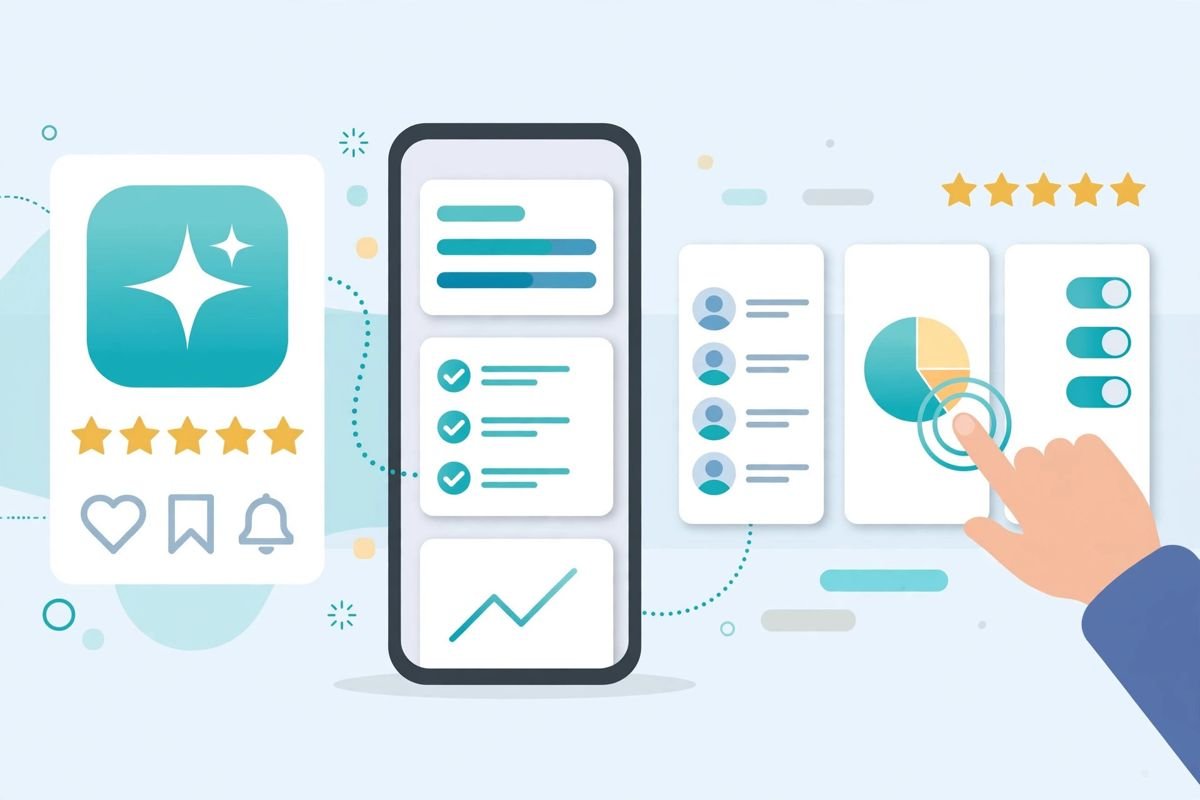
The short description (80 chars) and the first lines of the full description carry the most weight for both search and skimmers. Put your primary keyword and core value proposition up front — naturally, not stuffed.
Users decide from the first two screenshots. Show the core value with minimal text overlays, use consistent branding, and localize screenshots for your top markets. A/B test variants with Grow → Store listing experiments before committing.
Repeating keywords unnaturally, promising features you don’t have, or using misleading graphics are rejection and suspension triggers. Google’s review systems now detect deceptive listings automatically.
Translate the listing (not just the app) for markets you target. Even partial localization of the title and short description lifts conversion in non-English markets measurably.
Release to 10–20% first, watch Quality → Android vitals and reviews for 24–48 hours, then ramp. The Halt rollout button has saved more launches than any other console feature. Our release management guide details the playbook.
Internal testing for daily builds (live in minutes, up to 100 testers), closed for beta cohorts, open for pre-launch buzz, production for the public. Uploading everything straight to production is amateur hour.
“Bug fixes and improvements” every release trains users to ignore you. Note what’s new in plain language; it also gives reviewers context during policy checks.
If a staged rollout reveals a crash spike on Saturday, your team is scrambling on the weekend while bad reviews accumulate. Ship early in the week, monitor, then ramp.
Google penalizes apps that cross bad-behavior thresholds (elevated crash and ANR rates) with reduced visibility. Check Quality → Android vitals → Overview before every production promotion — and fix what the pre-launch report flags on real devices.
Third-party SDKs that collect data behind your back are a classic cause of data-safety mismatches and policy strikes. Inventory every SDK, know what each collects, and update your data safety form after every SDK change.
Reply promptly, professionally, and specifically. Review replies are public, influence prospective users, and updated reviews after a fix are a real retention lever. Enable review notifications under Setup so nothing sits for weeks.
Policy → Policy status warnings come with deadlines. Missing one escalates automatically from warning to enforcement. Same-day triage is the professional standard.
The table below summarises these quality and policy habits:
| Habit | Cadence / action in this article |
|---|---|
| Treat vitals thresholds as release gates | Check Quality → Android vitals → Overview before every production promotion |
| Audit your SDKs | Quarterly — inventory every SDK and update your data safety form after every SDK change |
| Respond to reviews | Promptly, professionally, and specifically — especially 1-star reviews |
| Answer policy warnings | The same day — Policy status warnings come with deadlines and missed deadlines escalate automatically |
Grow → Pre-registration builds a notify-me audience before launch day, converting anticipation into day-one installs — which feed the ranking algorithms when it matters most.
Quality → Statistics segments installs, uninstalls, ratings, and retention. A weekly 20-minute review — where did installs come from, where did users drop, what did vitals do — compounds into dramatically better decisions than quarterly deep dives.
Google’s official best-practice library is the Play Console Help Center — worth a monthly skim as policies evolve.
Once the fundamentals from the tips above are running, these advanced levers separate steady growers from breakout apps on the Google Play Store.
Custom store listings by country. Beyond translation, the console lets you tailor graphics and copy per market (Grow → Store presence → Custom listings). What converts in the US often flops in Japan or Brazil — different value props, different visual languages. Run your top three markets with localized creative and measure the delta.
Promotional content and featuring. Use Grow → Promotional content to surface events, offers, and major updates to existing users. For featuring consideration, Google looks for quality signals: high ratings, low crash rates, fresh content, and platform best-practice adoption (Material design, large-screen support). There’s no application button — featuring follows excellence.
Ratings velocity management. The in-app review API, timed after positive moments (level completion, successful export — never after a crash), generates a steady stream of authentic ratings. Velocity plus average both feed ranking; a burst of old reviews followed by silence underperforms consistent flow.
Pricing and subscription experiments. For paid apps and subscriptions, test price points per market — purchasing power varies enormously, and the console’s per-country pricing makes experimentation cheap. Intro pricing and free trials for subscriptions measurably lift conversion when the onboarding proves value fast.
Win-back and retention loops. Pre-registration for major updates, promotional content for lapsed users, and review-reply-driven fixes compound: each cycle retains more users, whose engagement feeds the algorithmic signals (retention, ratings velocity) that drive the next cycle. Growth on Play is a flywheel — the developers who spin it deliberately win.
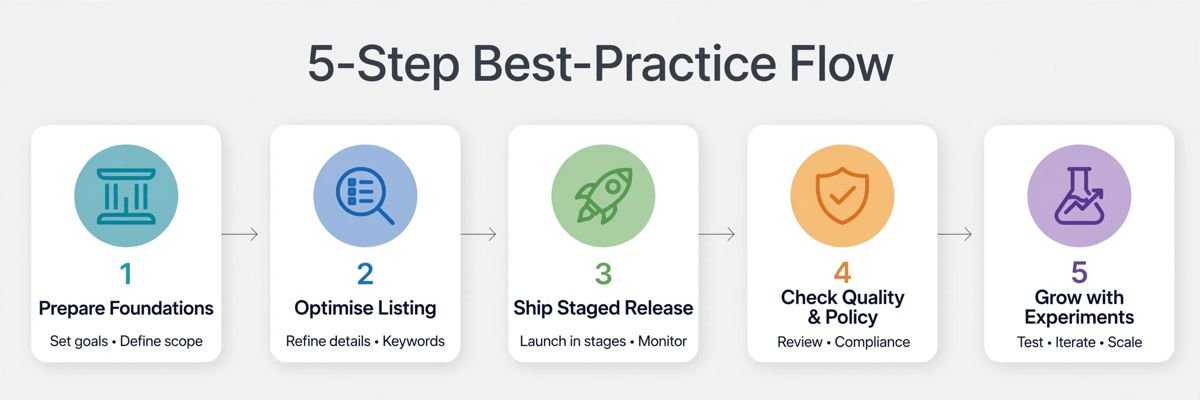
Beyond a good app, success demands a verified developer account, an optimized and honest store listing, staged rollouts with vitals monitoring, prompt review responses, and strict policy hygiene. Most failed launches trace to skipping one of these disciplines — not to the app’s quality — so treat publishing as a craft with a checklist, not a single upload event.
The $25 one-time developer registration fee is the entire fixed cost — no renewals, no per-app charges, unlimited apps. Google then takes a 15% service fee on your first $1M in annual Play earnings per account (30% above that) for paid apps and in-app purchases. Publishing free apps costs nothing beyond the $25 registration.
The durable levers are keyword-aware (never stuffed) listings, localized store pages for target markets, strong ratings earned through a genuinely stable app, pre-registration campaigns before launch, and store listing experiments that prove what converts. Shortcuts like fake reviews or incentivized installs end in suspension — there is no durable hack.
Absolutely — most breakout indie apps started with one person, and the personal developer account path (government ID verification, $25) is built for individuals. The main solo hurdle is the 14-day closed testing requirement demanding 12+ real testers before your first production release, so start recruiting testers while you build, not after.
Reply publicly within days, acknowledge the specific issue rather than pasting templates, ship the fix, and politely ask the user to update their review. A visible pattern of responsive fixes converts 1-star reviewers and reassures prospects reading along. Never offer incentives for review changes — that’s a policy violation in itself.
Deceptive behavior (misleading listings, fake functionality), user-data violations (data safety forms that don’t match actual SDK behavior), impersonation, and IP infringement top the list. Remember that enforcement is account-level: strikes accumulate across all your apps, so one sloppy listing can endanger your entire portfolio.
The Google Play Store rewards developers who treat publishing as a craft: deliberate listings, disciplined releases, monitored vitals, and honest compliance. None of these 18 practices is exotic — the edge is executing all of them, consistently, while competitors skip steps.
Play Console Store is an independent marketplace that helps Android developers execute exactly this playbook — listing optimization, release management, closed testing, and policy compliance. Explore our Google Play services and ship like a professional from day one.